Professional Livestream Setup Solutions

Choosing the right livestream setup can be challenging, especially with so many camera types, network options and control systems available. At Movision, we design and supply complete livestream solutions across Europe, and the setups on this page are based on our real-world experience with houses of worship, event venues, schools, studios and corporate clients.

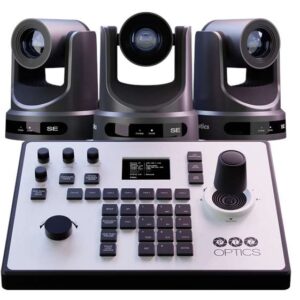
Here, you’ll find clear explanations of 1-, 2-, 3- and multi-camera PTZ setups, including what each configuration requires, how the components work together, and which products we recommend for a reliable, modern and professional workflow.

Whether you’re new to livestreaming or an experienced AV technician, this page will help you understand how technologies like NDI, PoE, optical zoom, presets and joystick control work in practice, so you can confidently choose the setup that fits your space, your budget and your goals.

Single-Camera Livestream Setup

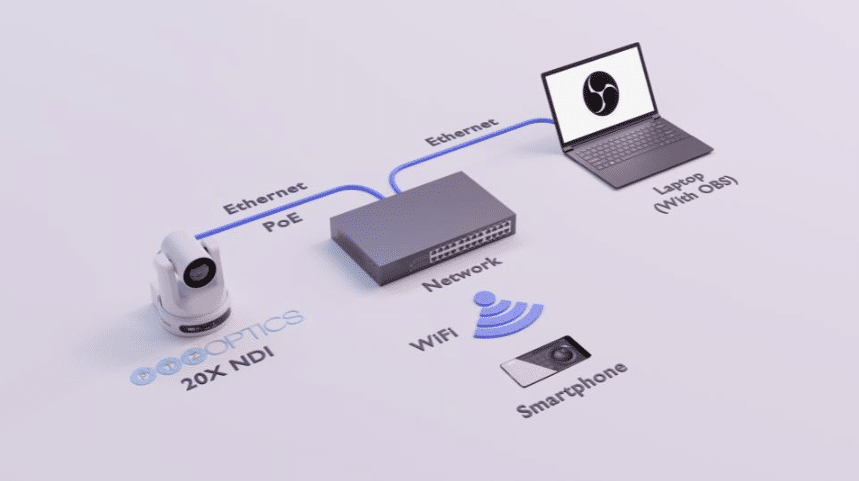
1 camera setup Movision

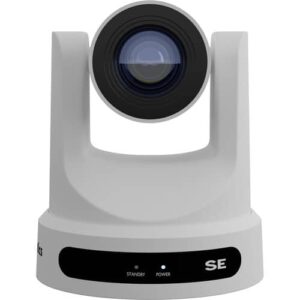
A single-camera setup is the easiest way to start livestreaming, yet modern PTZ technology makes it capable of professional-quality production. This setup keeps installation simple while offering all the essential features needed for clear, stable and polished video, ideal for classrooms, sermons, events, corporate meetings and online presentations.

How the technologies work together

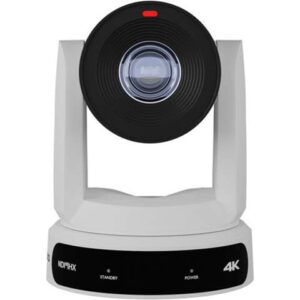
A PTZ camera combines multiple functions into one device: remote movement (pan/tilt/zoom), optical zoom, video outputs, and network control.
The optical zoom lens determines how close or wide your shot can be depending on the distance to your subject. If you are unsure which zoom level fits your room, we’ve created a separate guide that explains how to choose the right zoom range with examples from real installations.

IP Workflow (NDI®, SRT, RTSP) — the most modern, flexible and scalable option

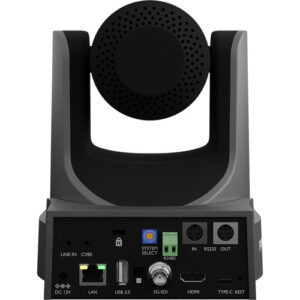
Most users choose to connect the camera through IP because it allows everything to run over a single Ethernet cable. With PoE (Power over Ethernet), that same cable supplies power, video, control and communication.

This gives you powerful advantages:

  • Only one cable neede

  • No power outlet required near the camera

  • No cable length limitations (unlike HDMI)

  • Clean installation with minimal cables

  • Very reliable for both short and long distances

  • Easy to expand later with more cameras

Protocols like NDI, RTSP and SRT allow the camera to send high-quality video directly to your network, where your streaming PC or hardware encoder can pick it up.

Many PTZ cameras also support auto-tracking, which automatically follows the presenter. This makes a single-camera setup act like a human-operated camera. Especially useful for presentations, sermons and classrooms.

HDMI & SDI Workflow — fully supported and ideal for traditional setups

While IP workflows are becoming the standard, it’s important to know that HDMI and SDI connections are still excellent options depending on your equipment and room:

HDMI

  • Best for short distances (up to a few meters)

  • Easy to use, plug-and-play

  • Ideal when your camera sits close to your switcher or PC

SDI

  • Professional broadcast standard

  • Stable over long distances (20–100m)

  • Perfect for larger rooms or when the camera is far away

  • Very low latency

Many setups use a hybrid approach, combining SDI for long runs and IP for control and monitoring.

Why this setup works so well

A single-camera livestream configuration is reliable, flexible and beginner-friendly:

  • Supports IP, HDMI and SDI — you choose what fits your space

  • IP with PoE gives clean, minimal-cable installations

  • HDMI/SDI remain perfect for hardware switchers

  • Optical zoom provides flexible camera placement (see our zoom guide)

  • Auto-tracking delivers hands-free production

  • Works with all major platforms (OBS, vMix, Zoom, Teams, YouTube, etc.)

  • Easy enough for beginners, powerful enough for professionals

This setup forms the ideal foundation and can be expanded later with an additional camera or a controller.

What You Need for a Single-Camera Setup (Hardware Summary)

Here is a simple overview of the hardware required. Choose the version that fits your workflow (IP, HDMI, SDI):

✔ For an IP / NDI setup (recommended for most users):

  • 1× PTZ camera (any optical zoom suited to your room)

  • 1× PoE or PoE+ network switch

  • 1× Streaming PC, laptop or hardware encoder

  • 1× Ethernet cable (Cat5e or Cat6)

  • Optional: audio interface or mixer for microphones

  • Optional: controller for manual PTZ control

✔ For an HDMI setup (short distances, simple rooms):

  • 1× PTZ camera with HDMI output

  • 1× HDMI cable

  • 1× Capture card or HDMI input on your switcher/streaming PC

  • Power adapter for the camera

  • Optional: tripod or wall/ceiling mount

✔ For an SDI setup (long distances, large rooms):

  • 1× PTZ camera with SDI output

  • 1× SDI cable (up to 100m!)

  • 1× SDI capture device or hardware switcher

  • Power adapter for the camera

  • Optional: audio and control cabling

Two-Camera Livestream Setup

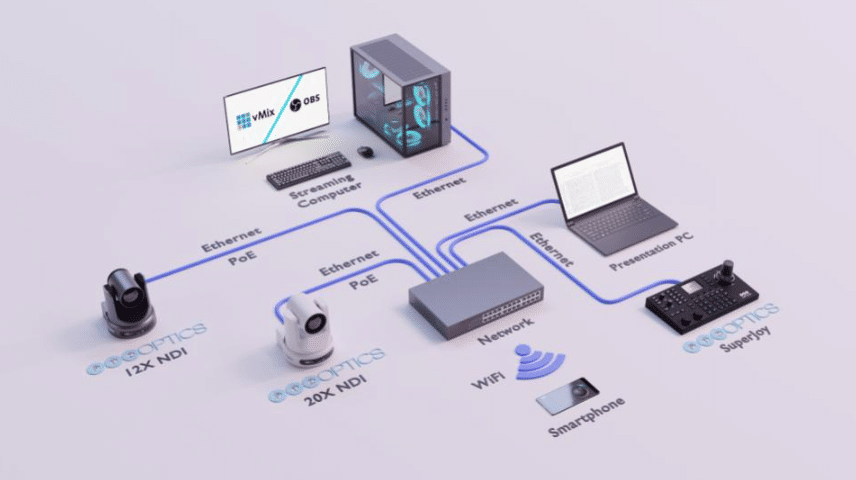
2 cameras setup Movision

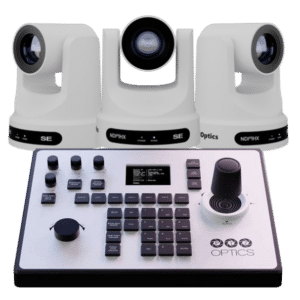
A two-camera livestream setup is one of the most effective ways to immediately improve the quality and professionalism of your production. With two PTZ cameras working together, you can switch between wide shots, close-ups and alternate angles, creating a dynamic viewing experience that keeps your audience engaged. This setup is ideal for sermons, presentations, interviews, panel discussions, hybrid meetings and any situation where smooth visual variation is important.

How the technologies work together

In a two-camera setup, both PTZ cameras operate within the same workflow. Each camera provides pan/tilt/zoom movement, optical zoom and multiple output options. One camera can be used for wide overview shots, while the second can focus on close-up details. If you are unsure which zoom range best fits your room or distance, you can refer to our dedicated guide that explains how to choose the right optical zoom for your environment.

Both cameras connect to the same system and complement each other. By using presets, you can move each camera to predefined angles, such as podium, stage left, stage right or audience, with a single button press. This creates smooth transitions and makes the production easy to operate, even for volunteers or beginners.

IP Workflow (NDI®, SRT, RTSP) — clean, scalable and ideal for multi-camera systems

For most two-camera installations, an IP workflow is the preferred choice. When each camera is powered with PoE (Power over Ethernet), a single Ethernet cable carries power, video, control and communication. Both cameras connect to a PoE network switch, which becomes the central point of the system.

This approach provides several advantages:

  • Only one cable per camera

  • Clean and tidy installation with minimal cabling

  • No distance limitations found in HDMI

  • Easily scalable — adding a third or fourth camera is simple

  • All video streams travel over your network

  • Compatible with controllers, recorders and streaming software simultaneously

Your streaming PC or hardware encoder receives both camera feeds directly from the network. Many PTZ models also support auto-tracking, allowing one camera to follow the presenter while the other captures wider angles.

HDMI & SDI Workflow — fully supported and excellent for traditional switching

HDMI and SDI remain reliable and widely used options, especially when working with hardware switchers or setups where network infrastructure is limited.

HDMI

  • Best for short distances (typically within the same room)

  • Plug-and-play connection

  • Ideal when both cameras are located near your switcher or PC

SDI

  • Professional broadcast standard

  • Perfect for long cable runs (20–100m)

  • Extremely stable and low latency

  • Ideal for larger halls, stages or fixed installations

Many two-camera systems use a hybrid approach, combining SDI for video with IP for control, presets and monitoring.

Why this setup works so well

A two-camera livestream setup provides a clear step forward from a single-camera configuration:

  • Smooth switching between wide shots and close-ups

  • Supports IP, HDMI and SDI — whichever suits your environment

  • IP with PoE offers a clean, minimal-cable solution

  • HDMI/SDI remain excellent for hardware switchers or long distances

  • Presets allow fast angle changes with a single button

  • Works with all major streaming platforms (OBS, vMix, Zoom, Teams, YouTube, etc.)

  • Beginner-friendly operation with professional-level results

This setup greatly improves viewer engagement and is ideal for anyone who wants more dynamic and polished productions.

What You Need for a Two-Camera Setup (Hardware Summary)

Choose the version that fits your workflow (IP, HDMI, SDI):

✔ For an IP / NDI setup (recommended for most users):

  • 2× PTZ cameras (optical zoom suited to your room)

  • PoE or PoE+ network switch

  • Streaming PC, laptop or hardware encoder

  • Ethernet cables (Cat5e or Cat6)

  • Optional: PTZ joystick controller (recommended for smooth control)

  • Optional: audio interface or mixer

  • Optional: mounts or tripods

✔ For an HDMI setup (short distances):

  • 2× PTZ cameras with HDMI output

  • 2× HDMI cables

  • Capture card with multiple HDMI inputs or a hardware switcher

  • Power adapters for both cameras

✔ For an SDI setup (long distances):

  • 2× PTZ cameras with SDI output

  • 2× SDI cables (up to 100m)

  • SDI capture card or hardware switcher

  • Power adapters for both cameras

Three-Camera Livestream Setup

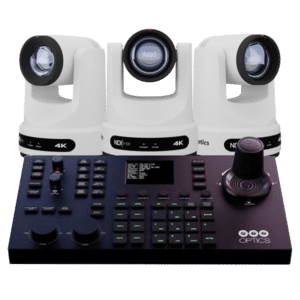
A three-camera livestream setup is the ideal choice for larger or more complex productions. With three PTZ cameras working together, you gain complete visual flexibility: wide stage shots, detailed close-ups, audience angles, side views, musical performances, panel discussions and more. This type of setup delivers a polished, professional broadcast experience and is widely used in houses of worship, event venues, schools, auditoriums, conferences and hybrid environments.

How the technologies work together

In a three-camera configuration, each PTZ camera contributes a different perspective. One camera may cover the entire stage, another can focus on close-ups of the speaker, and the third can capture side angles, audience reactions or supporting visuals. Because each camera offers optical zoom, you can place them at various distances without losing image quality. If you are unsure which zoom range suits your room or balcony distance, you can refer to our dedicated zoom guide for clear examples and recommendations.

All three cameras work together in a coordinated workflow using presets. These presets allow you to switch instantly between different viewpoints, such as pulpit, stage center, podium, wide view, and audience, creating smooth transitions that mimic a full live production team, even when operated by a single person.

IP Workflow (NDI®, SRT, RTSP) — the most scalable and flexible choice for multi-camera systems

With three cameras, an IP-based workflow becomes even more powerful. Each PTZ camera connects to a PoE or PoE+ network switch with a single Ethernet cable. This cable carries power, video, control and communication, creating a clean and organized installation.

IP workflows offer several advantages for multi-camera setups:

  • Only one cable per camera — minimal cabling and no power outlets required

  • Easy to install in large rooms or high mounting positions

  • All video streams run over the same network, accessible to your PC or encoder

  • No cable length limitations found in HDMI

  • Very easy to scale — adding a 4th, 5th or even 8th camera is straightforward

  • Compatible with PTZ controllers, tally lights, recorders and streaming software

With three cameras on the network, you can control each camera individually, call presets, adjust movement and create automated or manual transitions. Some setups also use auto-tracking on one camera while the other two provide static or preset-driven perspectives.

HDMI & SDI Workflow — reliable options for traditional multi-camera switching

Although IP workflows are the modern standard, HDMI and SDI connections remain fully supported and commonly used in three-camera systems:

HDMI

  • Suitable for smaller rooms

  • Best when cameras are located near the switcher

  • Simple plug-and-play connection

SDI

  • Designed for long cable runs (20–100m)

  • Excellent stability and very low latency

  • Ideal for larger rooms, balconies or permanent installations

  • Works perfectly with hardware switchers

Many professional setups use a hybrid workflow: SDI for long-distance video, and IP for control and monitoring.

Why this setup works so well

A three-camera livestream system provides the kind of flexibility and quality expected from full-scale productions:

  • Multiple angles for storytelling, transitions and dynamic visuals

  • Supports IP, HDMI and SDI workflows

  • IP with PoE keeps cabling clean and installation simple

  • HDMI/SDI remain ideal for hardware switchers or long distances

  • Presets enable smooth, fast switching between viewpoints

  • Works with all major streaming platforms (OBS, vMix, Zoom, Teams, YouTube, etc.)

  • Perfect for volunteer operators and professional AV teams alike

  • Highly scalable — easily expandable to 4, 6 or 8+ camera systems

This setup delivers a truly professional result, suitable for high-profile events and environments where image quality and flexibility are essential.

What You Need for a Three-Camera Setup (Hardware Summary)

Choose the version that fits your workflow (IP, HDMI, SDI):

✔ For an IP / NDI setup (recommended for most multi-camera environments):

  • 3× PTZ cameras (optical zoom suited to your room and distances)

  • PoE or PoE+ network switch (AV-optimized recommended)

  • Streaming PC, laptop or hardware encoder

  • Ethernet cables (Cat5e or Cat6)

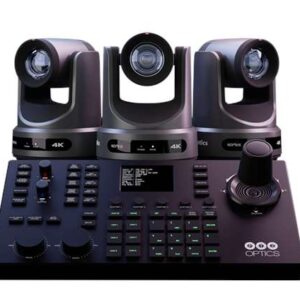
  • Optional: PTZ joystick controller (strongly recommended for smooth operation)

  • Optional: audio interface or mixer

  • Optional: mounts, ceiling brackets or tripods

✔ For an HDMI setup (short distance setups):

  • 3× PTZ cameras with HDMI output

  • 3× HDMI cables

  • Capture card with 3 HDMI inputs, or a hardware switcher

  • Power adapters for all cameras
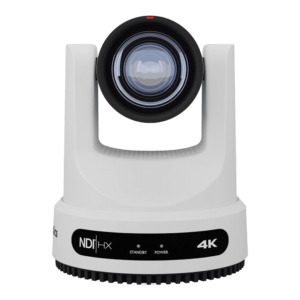
✔ For an SDI setup (large rooms or long distances):

  • 3× PTZ cameras with SDI output

  • 3× SDI cables (up to 100m)

  • SDI capture card or multi-channel hardware switcher

  • Power adapters for all cameras
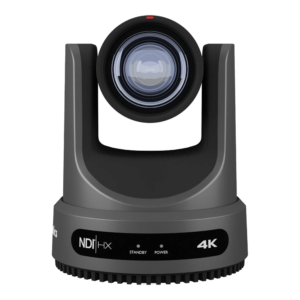
Custom Multi-Camera Setups (4–8+ Cameras)

For productions that require more than three cameras, we offer fully customized multi-camera solutions tailored to your space, workflow, and goals. Larger setups are ideal for complex environments such as auditoriums, houses of worship, conference centers, sports facilities, multi-room venues, hybrid events, and any situation where complete visual coverage and professional control are essential.

With a multi-camera configuration, we design a workflow that integrates:

  • Multiple PTZ cameras positioned for full 360° coverage
  • Centralized control using network-based or hardware controllers
  • Scalable IP workflows (NDI®, RTSP, SRT) or hybrid SDI/HDMI systems
  • Audio integration with mixers, DSPs or Dante networks
  • Routing, monitoring and recording across multiple devices
  • Reliable network infrastructure optimized for AV
  • Options for remote management, multi-location control or cloud-based operation

Every environment is different, which is why these setups are engineered specifically for your technical requirements, room layout and budget. Whether you need 4, 6 or even 8+ PTZ cameras, we ensure that your system is stable, flexible and future-proof.

If you would like expert guidance or a custom proposal, please contact us. Our team is ready to help you design a complete multi-camera configuration that delivers professional performance and seamless operation for your production.

Our Producer Bundles